
Leverage the power of Inya’s AI agents seamlessly within your Cisco Contact Center workflows. Inya integrates with Webex Contact Center through Cisco’s Service App framework. Once set up, you can use Inya’s AI agents inside the Webex Flow Designer to handle customer interactions seamlessly. As an Admin, here’s what you need to do:Documentation Index
Fetch the complete documentation index at: https://docs.inya.ai/llms.txt
Use this file to discover all available pages before exploring further.
Service App Creation: Admin Flow
Step 1: Go to Service Apps in Control Hub
- Sign in to your Webex Control Hub.
- Navigate to Management → Apps → Service Apps.
Step 2: Locate the Inya Service App
- You will see Inya AI Agent listed as a Service App available for your organization.
- Click on it to review the details and scopes requested.
Step 3: Authorize the Service App
- Click Authorize to enable the Inya Service App.
- This grants the app the required permissions to function within your Webex environment.
Step 4: Confirmation
- Once authorized, the Inya team will complete the backend setup.
- You can now add Inya AI Agents directly in the Cisco Contact Center Flow Designer to manage customer calls and chats.
After Authorization
- No further configuration is needed from your side.
- The Inya team will handle credit setup and ensure that your AI agents are active.
We’ll assist you with:
- Purchasing and allocating required credits
- Completing backend setup and Webex deployment
- Verifying that your Inya agents are active within the Contact Center flow designer
To add the Inya Transcript widget to the Desktop Layout:
- Login to Cisco Webex Contact Hub Desktop as an Administrator
-
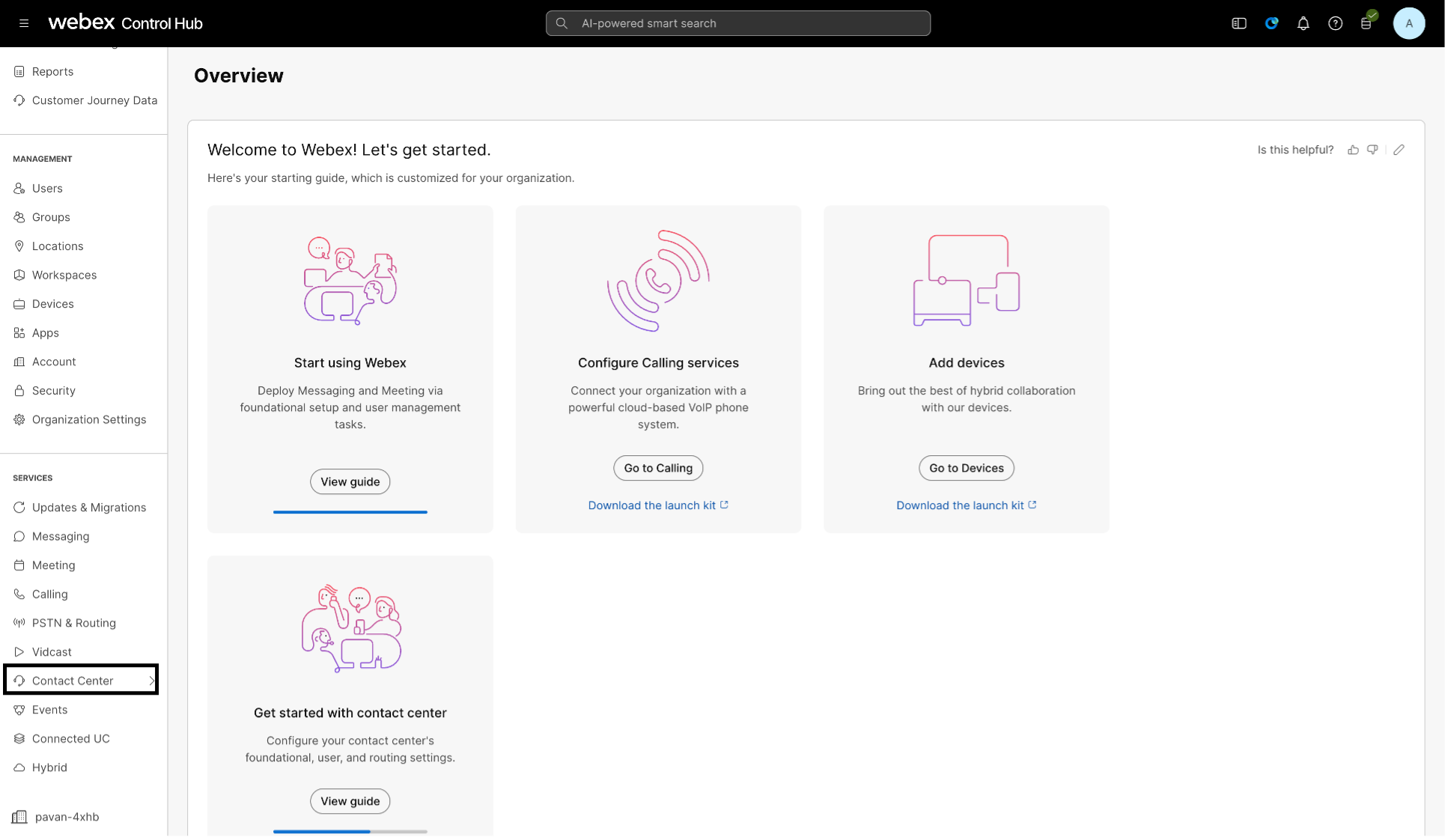
Click on Contact Center under Services on left pane, and then go to Desktop Layout under Desktop Experience
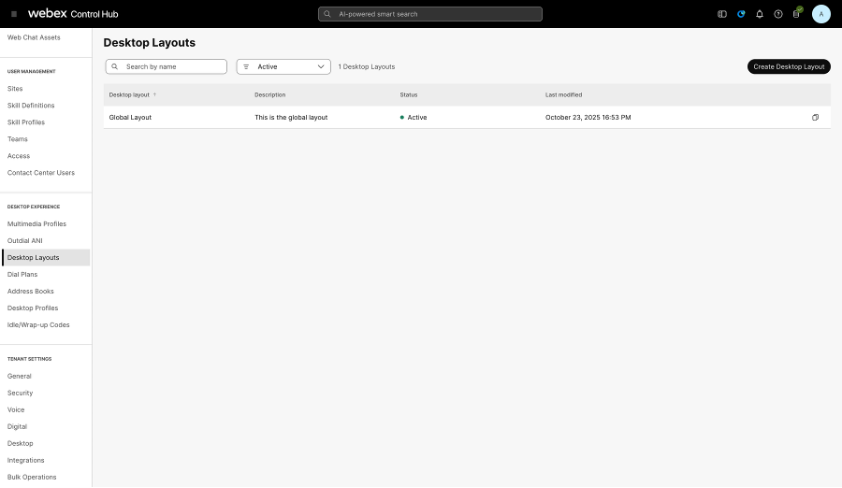
- From the desktop Layouts page that opens, select the layout you want to edit.
-
Click on the download button next to the already uploaded JSON file to download so that you can edit it.
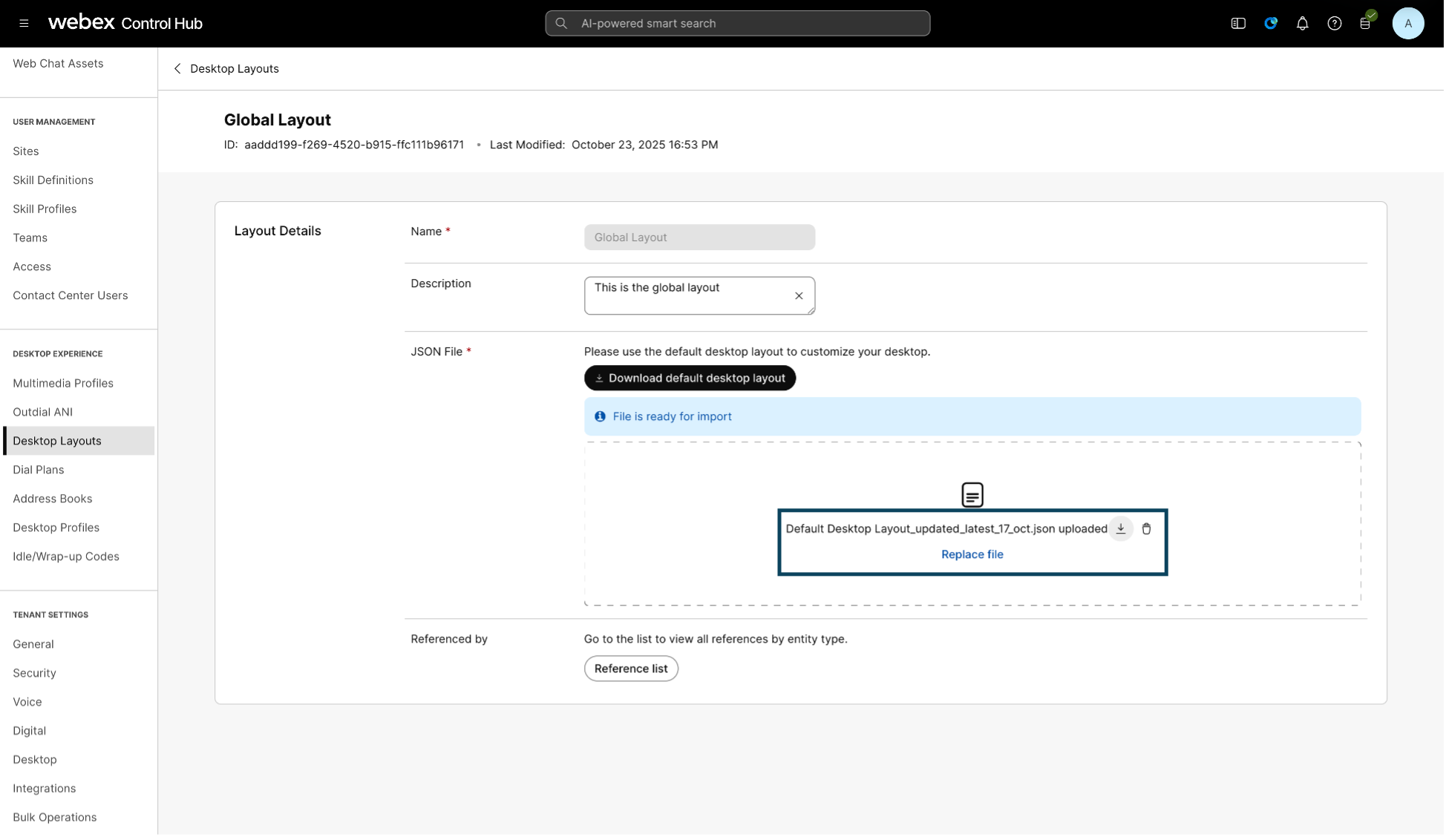
- In the .json file, add the following details to create another tab for the Inya Transcript Widget to show up under “agent” > “area” > “panel” > “children” array
- Once changes are done, save the file and upload the file in the Layout
- Click Save
Summary
By integrating Inya with Webex, you get all the advantages of intelligent, conversational AI embedded straight into your Cisco Contact Center. Just:- Set up via the Webex App Hub
- Create your agents within Inya
- Contact us at hello-inya@gnani.site for credit setup and activation
- Insert your agents into Webex’s flow designer to power customer conversations